Seth ArvilaDesign Engineer

← All work

FRST

They asked for Excel upload. What they needed was a form that worked.

Role
UX design and front-end development
Timeframe
Spring 2025
Team
5 people
Tools
React, TypeScript, Node.js, Microsoft SQL Server, Azure DevOps, Figma
The redesigned FRST New Entry page with two field pea entries stacked on one page, each with delete, duplicate, save, and add-to-cart actions, and Add Another, Save All, and Send All to Cart buttons below.

A · The ask

Excel upload

The Field Research Submission Tool is how researchers at eight Research Extension Centers across North Dakota send variety trial entries to the NDSU Ag Data team. For our capstone, Microsoft and NDSU Agricultural Data Analytics asked us to add a way to upload those entries from a spreadsheet.

B · The real problem

A form that worked

The existing form took one entry per submission. Anyone with more than a handful of trials had to fill it in again from the top for each one, and a spreadsheet was the only way around it. The upload would have helped the few people who already worked in Excel. Fixing the form would help everyone.

Explorations
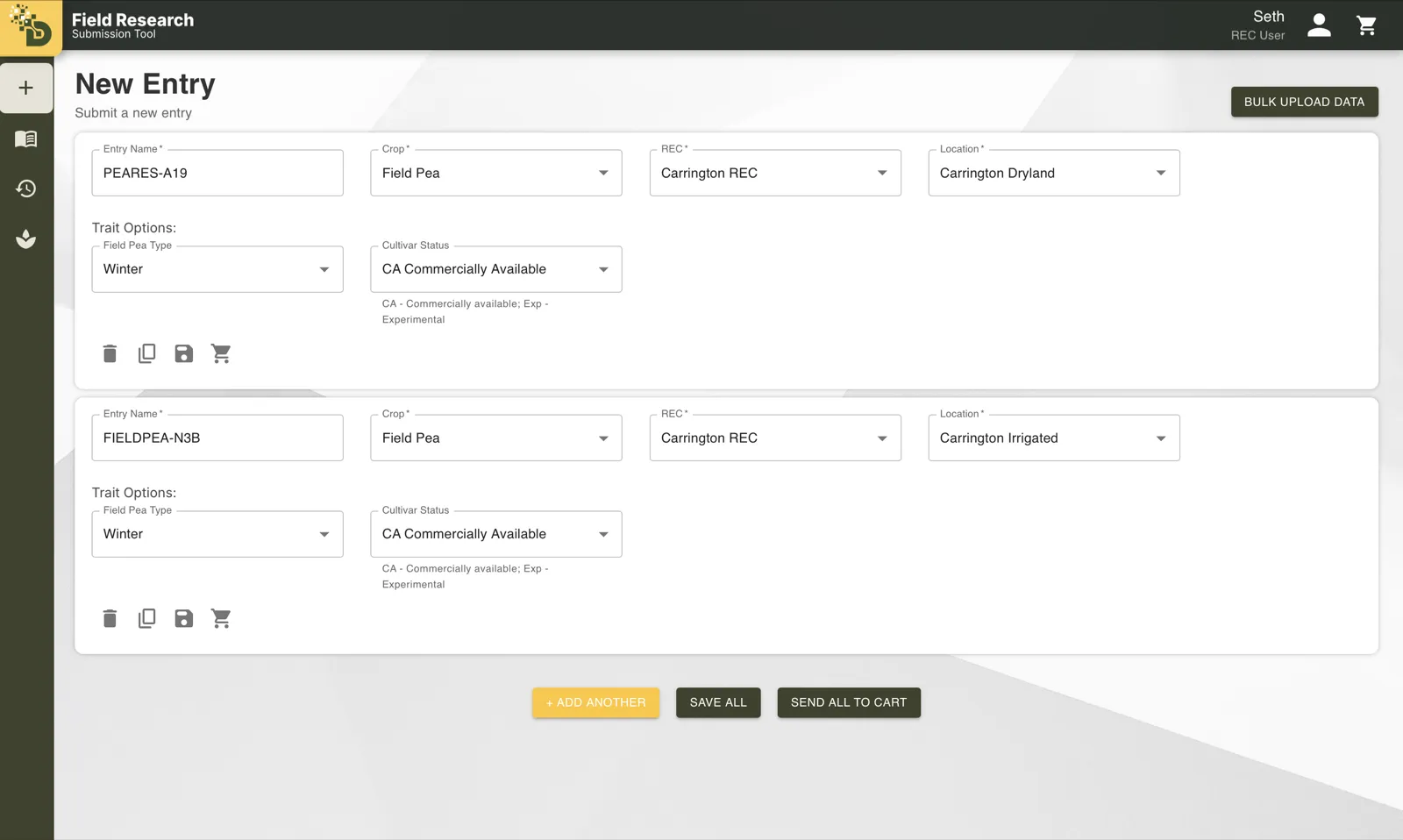
  • The redesigned FRST New Entry page with two field pea entries stacked on one page, each with delete, duplicate, save, and add-to-cart actions, and Add Another, Save All, and Send All to Cart buttons below.
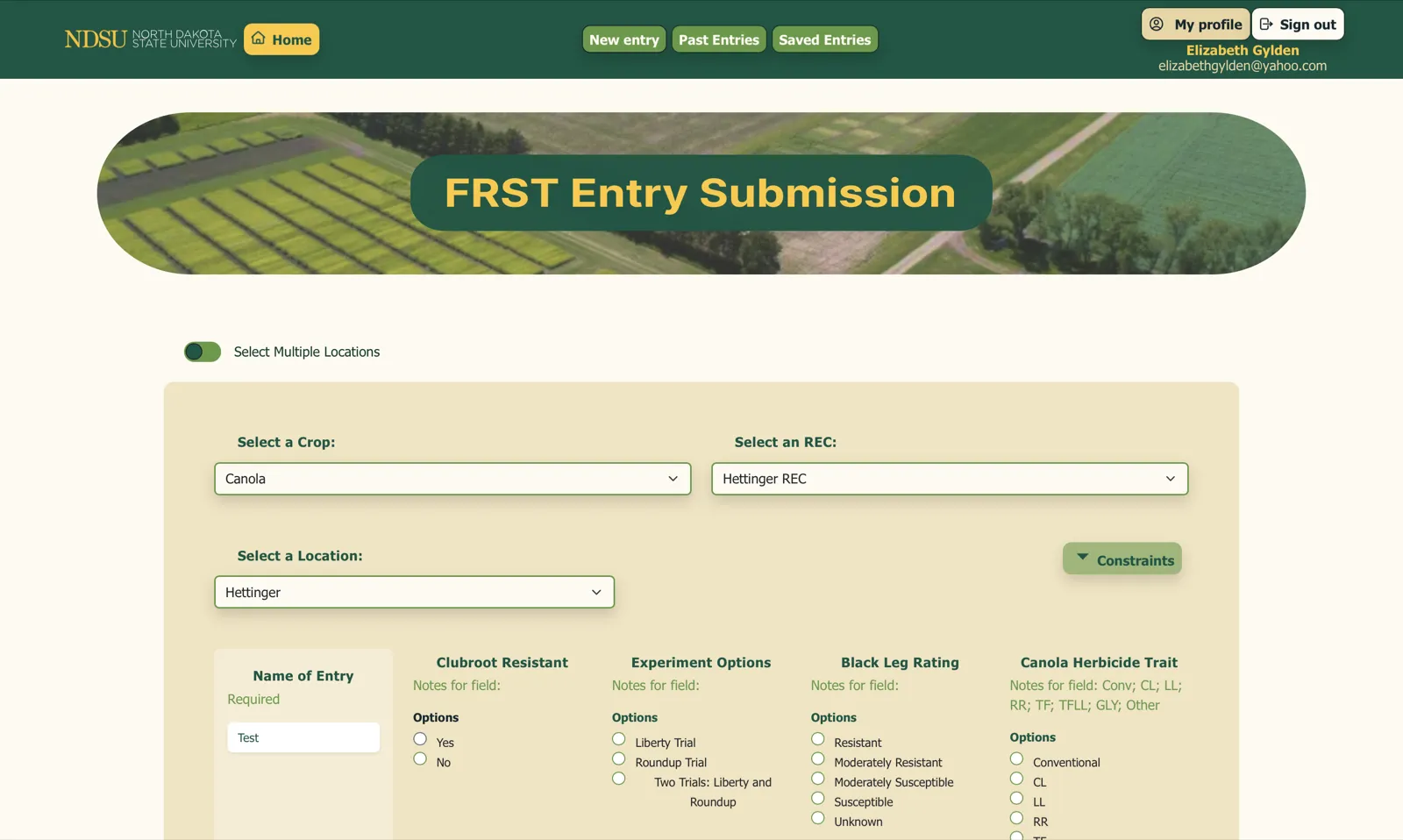
    The original FRST entry page: a single entry form with crop, REC, and location dropdowns and columns of radio buttons for each trait.
    The redesigned FRST New Entry page with two field pea entries stacked on one page, each with delete, duplicate, save, and add-to-cart actions, and Add Another, Save All, and Send All to Cart buttons below.
    The original FRST entry page: a single entry form with crop, REC, and location dropdowns and columns of radio buttons for each trait.

    Fig. 2.1 One entry per submission became a page of entries that can be duplicated, saved, and sent together.
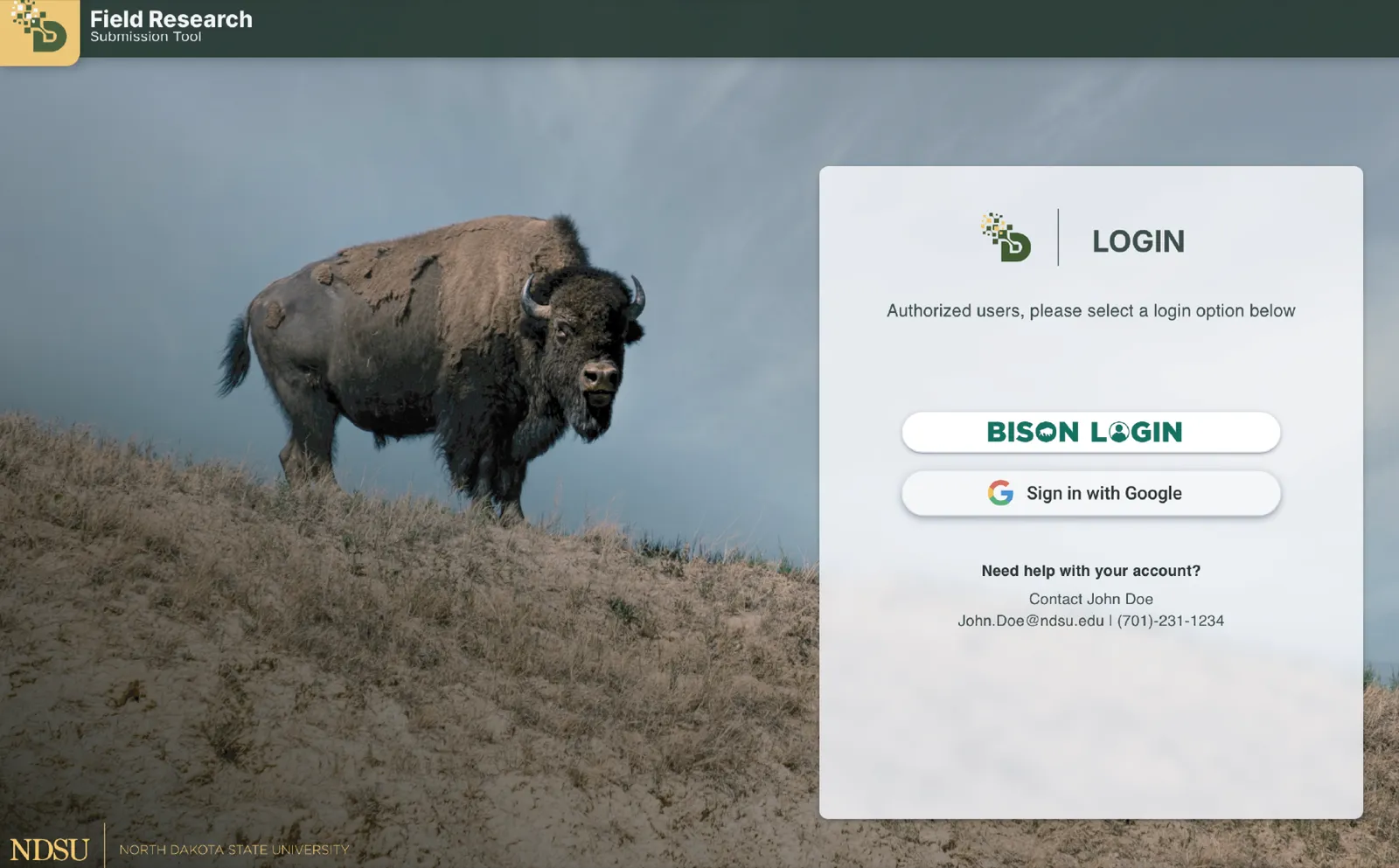
  • The redesigned sign-in: a login panel with Bison Login and Google sign-in as matching buttons and a help contact below, over a photo of a bison.
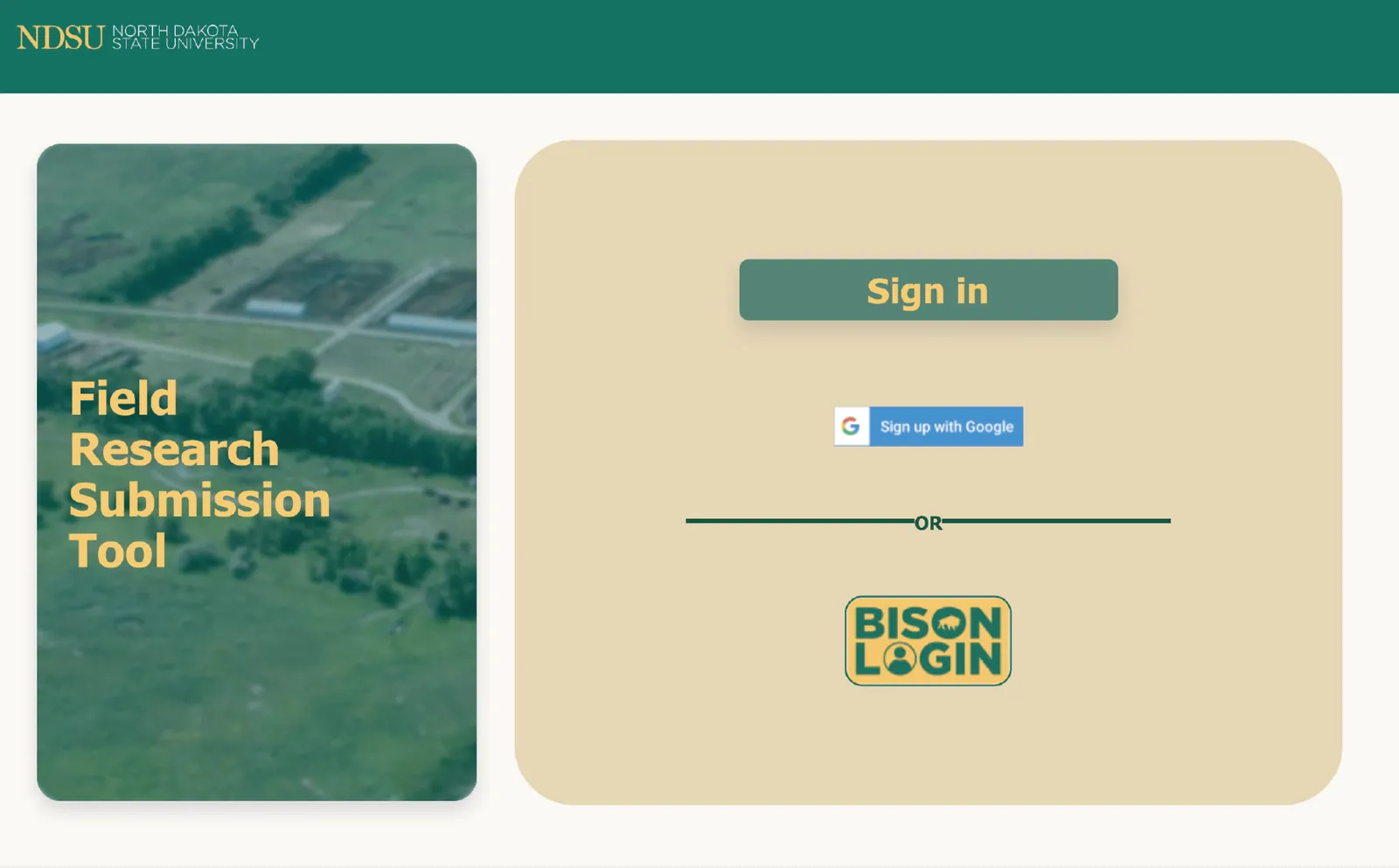
    The original FRST sign-in: a “Sign in” button, a Google sign-up button, and a Bison Login badge on a tan card beside a field photo.
    The redesigned sign-in: a login panel with Bison Login and Google sign-in as matching buttons and a help contact below, over a photo of a bison.
    The original FRST sign-in: a “Sign in” button, a Google sign-up button, and a Bison Login badge on a tan card beside a field photo.

    Fig. 2.2 Sign-in kept both options but made them equal choices, and put help right where a locked-out researcher would look.
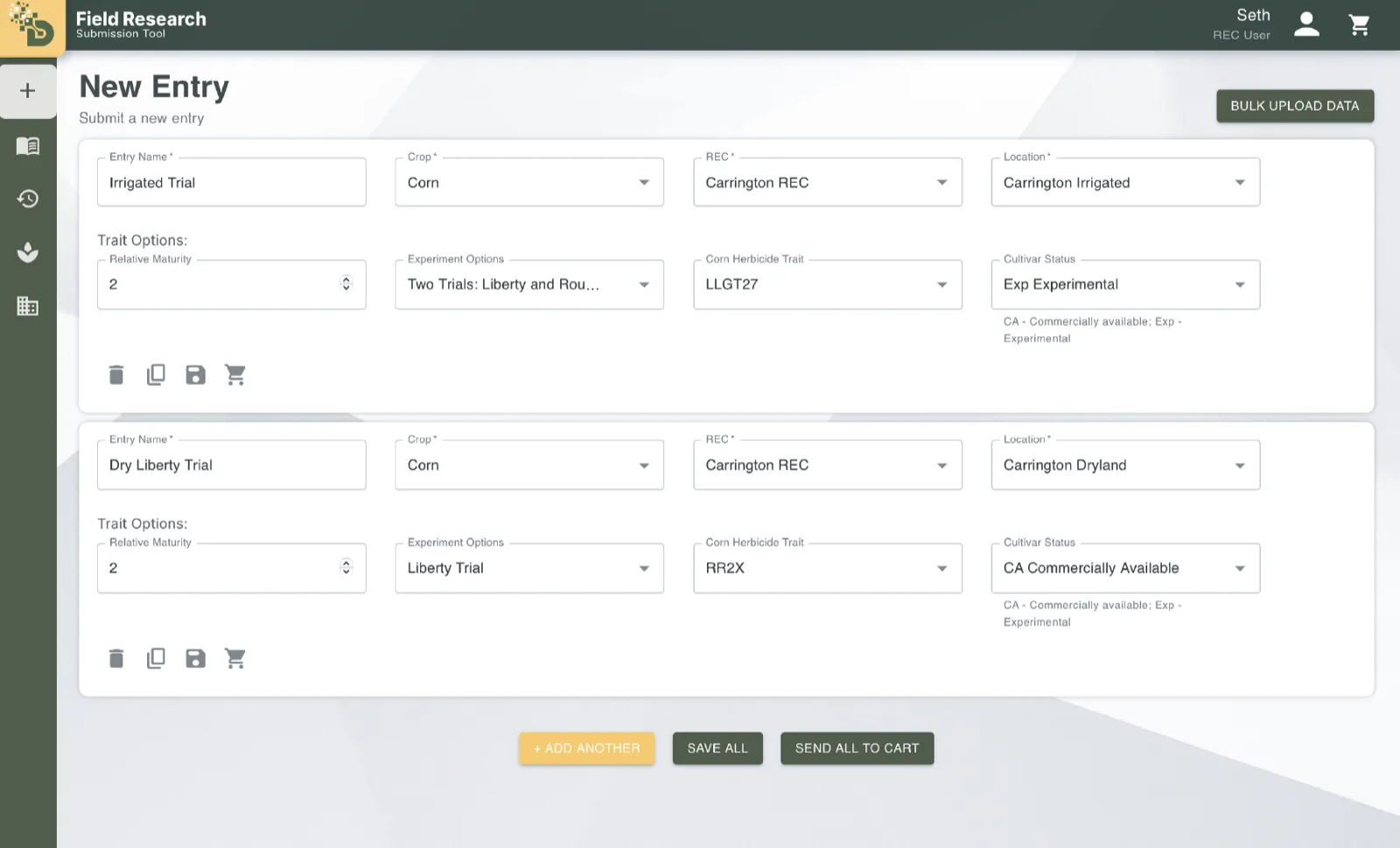
  • The shipped New Entry page with two corn entries, each with trait options as dropdowns and actions below.
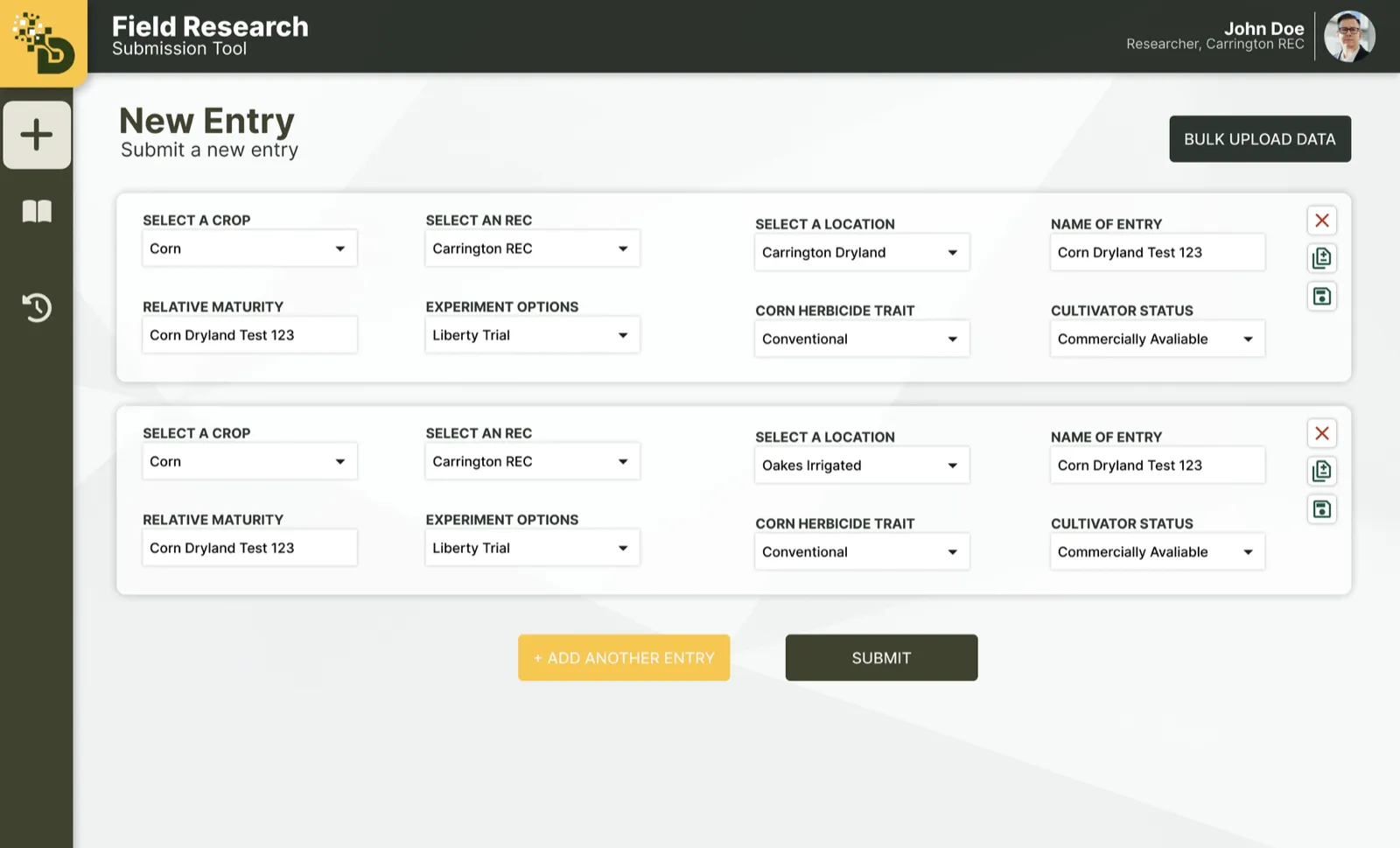
    The Figma design for New Entry: two corn entries in a four-column grid with labeled selects, delete, duplicate, and save icons beside each, and Add Another Entry and Submit buttons.
    The shipped New Entry page with two corn entries, each with trait options as dropdowns and actions below.
    The Figma design for New Entry: two corn entries in a four-column grid with labeled selects, delete, duplicate, and save icons beside each, and Add Another Entry and Submit buttons.

    Fig. 2.3 New Entry as designed and as built: the layout held from Figma to production, and the build added a cart, Save All, and each entry’s actions under its fields.
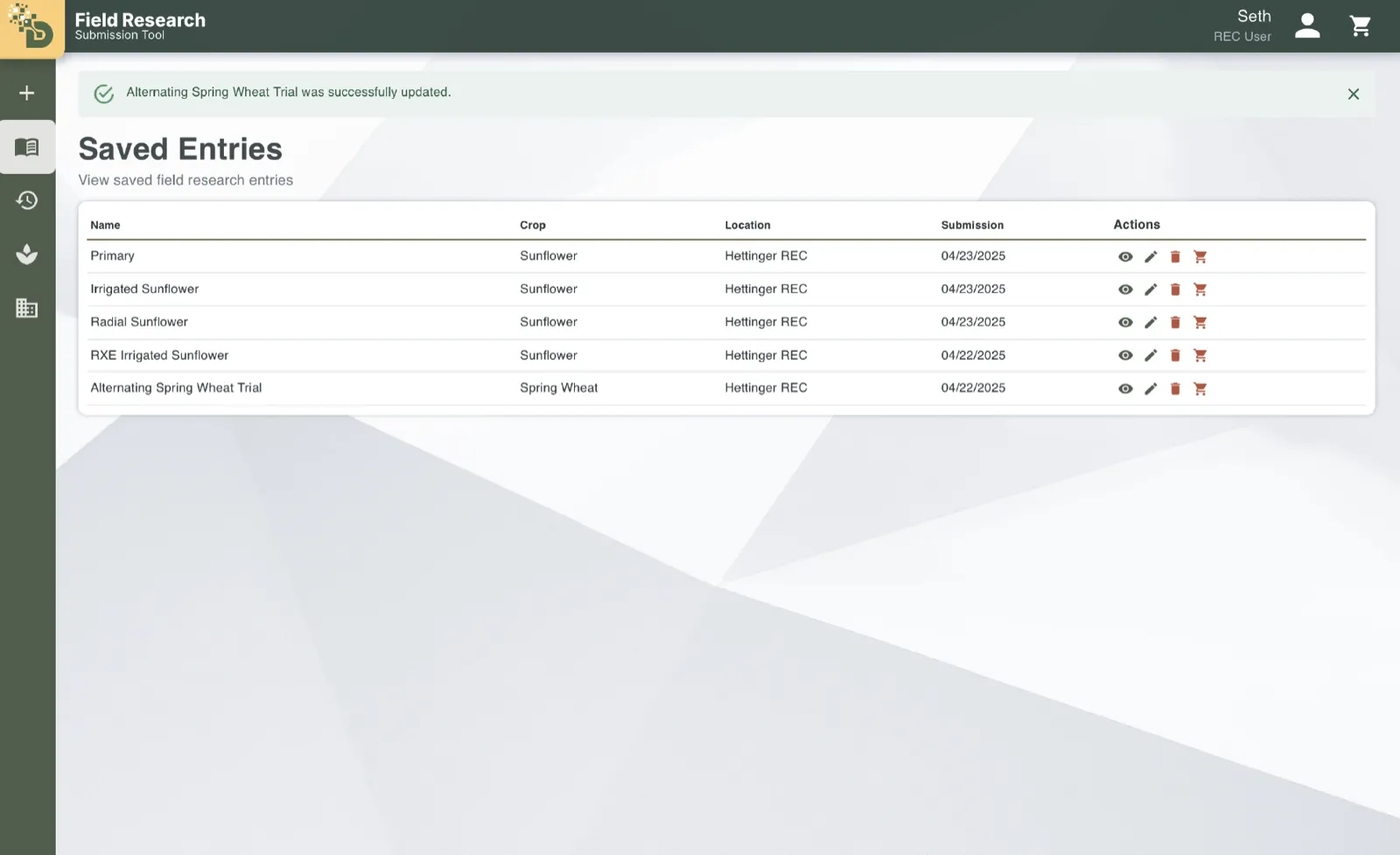
  • The shipped Saved Entries table with view, edit, delete, and add-to-cart icons and an update confirmation.
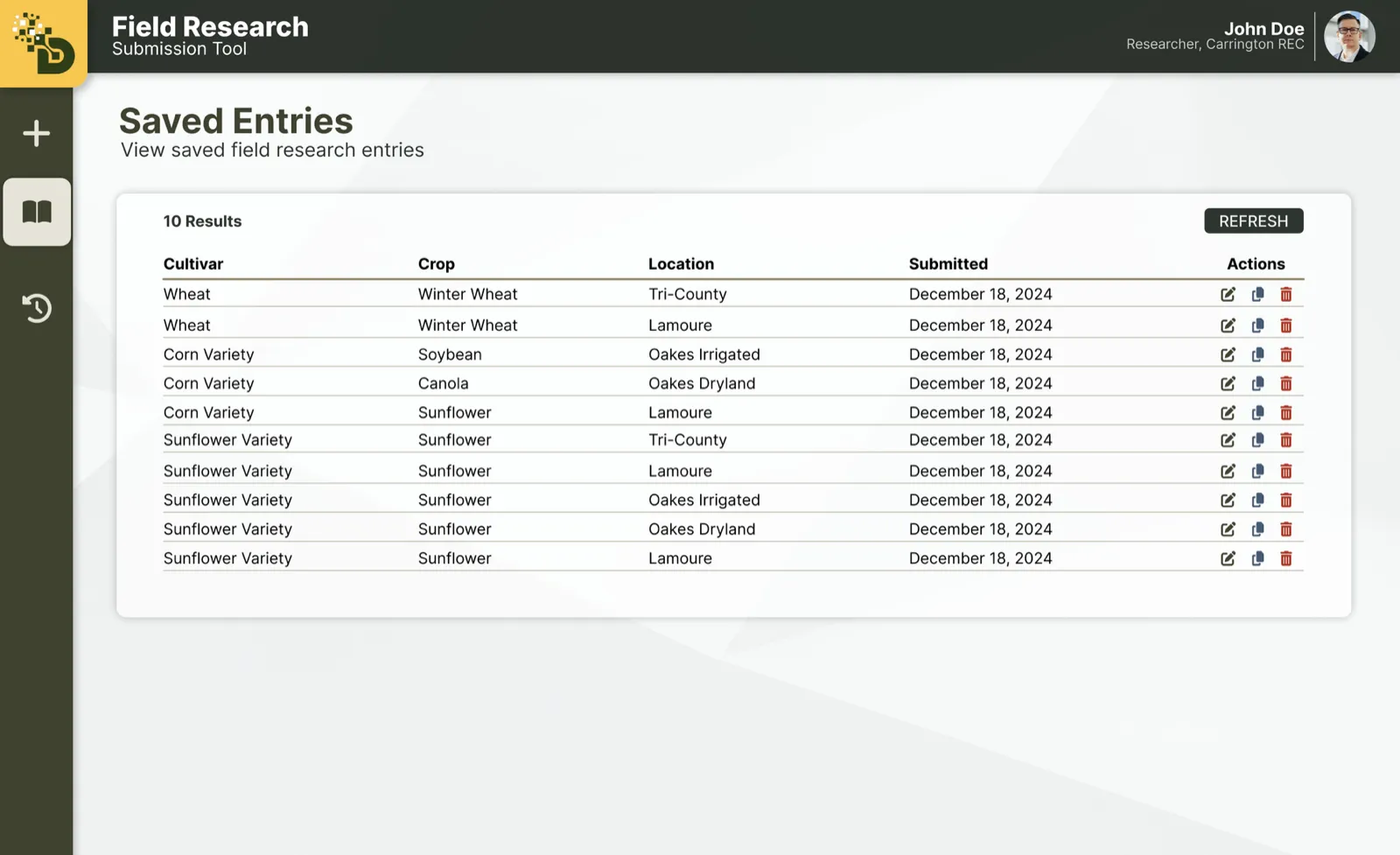
    The Figma design for Saved Entries: a table of cultivar, crop, location, and submission date with edit, copy, and delete icons and a Refresh button.
    The shipped Saved Entries table with view, edit, delete, and add-to-cart icons and an update confirmation.
    The Figma design for Saved Entries: a table of cultivar, crop, location, and submission date with edit, copy, and delete icons and a Refresh button.

    Fig. 2.4 Saved Entries as designed and as built: the same table, with view and add-to-cart actions and an update confirmation added.
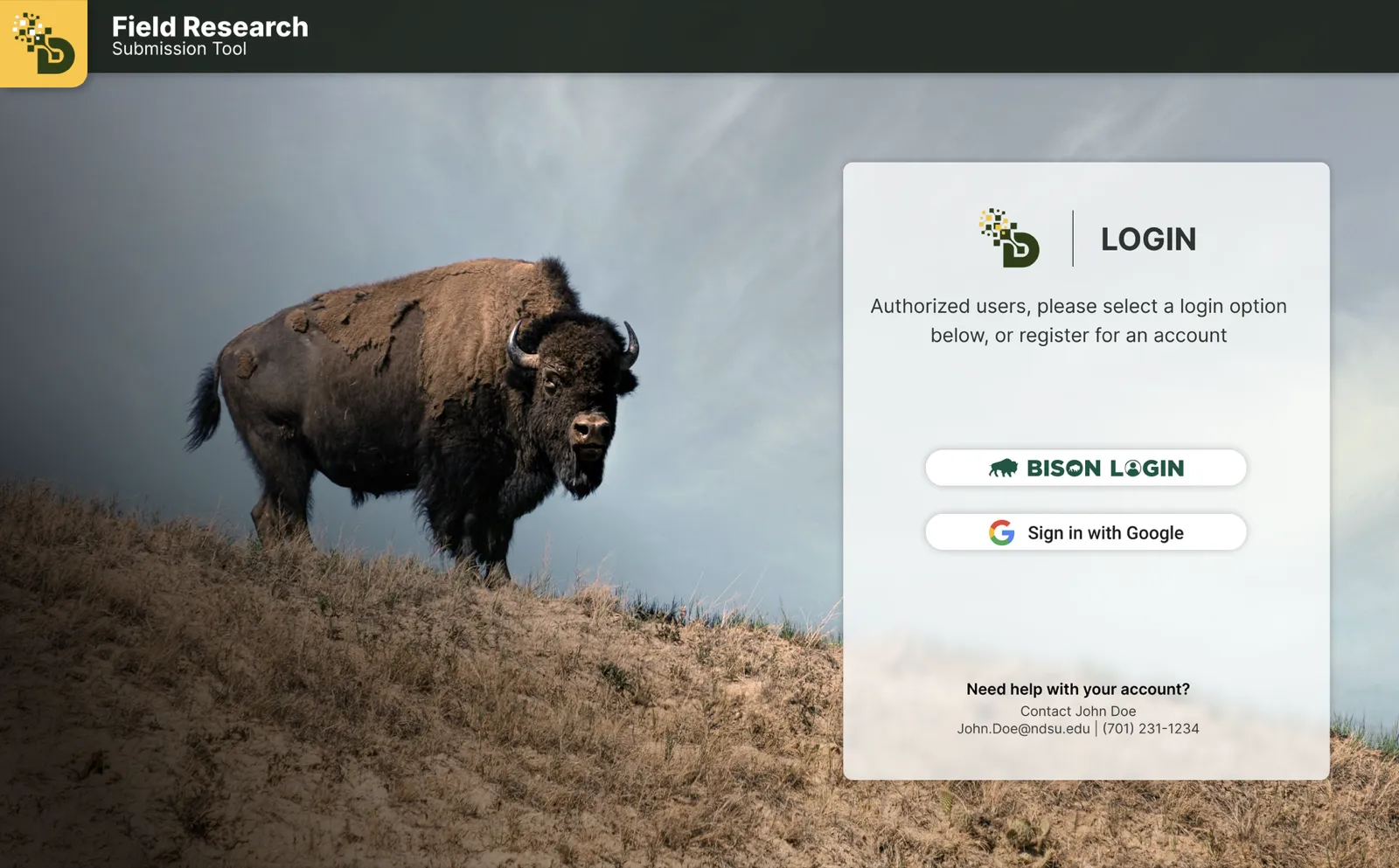
  • The shipped sign-in screen over the bison photo.
    The Figma design for sign-in: a login panel over a bison photo with Bison Login and Google buttons and a help contact.
    The shipped sign-in screen over the bison photo.
    The Figma design for sign-in: a login panel over a bison photo with Bison Login and Google buttons and a help contact.

    Fig. 2.5 The sign-in screen shipped almost exactly as it was designed.

The solution

Fig. 3.1 Before: the original form took one trial at a time, with every trait for the crop laid out as radio buttons.
Fig. 3.2 After: fill in one entry, duplicate it, change only what differs, and send them all to the cart together.
Fig. 3.3 The spreadsheet upload still shipped, for the people who wanted it: download a template for a crop and REC, fill it in, and upload it.
Fig. 3.4 The capstone presentation video, with sound.
  1. Duplicate instead of retype

    Trials across locations share most of their fields, so every entry has a duplicate action. A new entry starts from the last one and only the differences change.

  2. Fields that follow the crop

    Trait options appear after a crop is picked and only show what applies to it, so the form stays short instead of listing every option for every crop.

Impact and reflection

FRST went to production with the NDSU Ag Data team for researchers at all eight Research Extension Centers. Spreadsheet upload shipped too, as a button for the people who want it. Along the way we restructured the codebase to be smaller and easier to change, and built the form so other projects in the same family can reuse it.

Review note

“Seth has unique skills when it comes to front-end development and he played a pivotal role in our project's large scale redesign of the user experience. He envisioned what the app could look like, built Figmas to express that vision, and helped the team execute on building those designs. Such skills are rare in software development and rarer still in a student. His impact to the success of the project was huge.”

Matt Schumacher, Senior Software Engineer, Microsoft

What I'd do next

[TODO: Seth — FRST: what you'd do next]